Phone mounts and tangled cables are a clumsy way to get directions in your Chevrolet.
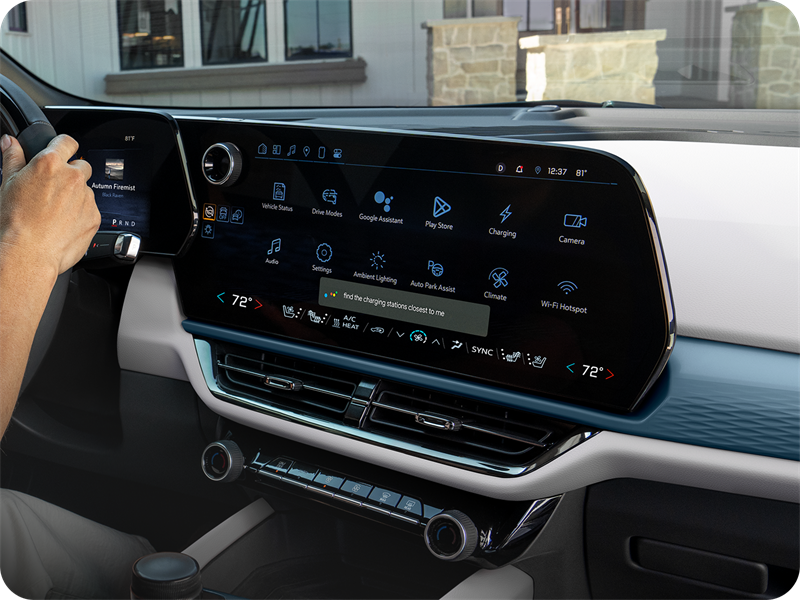
Chevy Google built-in™ capabilities move familiar apps onto the vehicle touchscreen, where they are easier to see and control. Setup goes faster with a specialist from Moran Chevrolet beside you.
Three Tools in One System
Three services arrive on your screen. Google Maps handles navigation with live traffic, Google Assistant, or Google Gemini on compatible vehicles, provides voice assistance, and Google Play lets you download compatible apps for music, podcasts, and audiobooks. Because the apps run on the vehicle itself, your phone stays in your pocket. Maps and voice control are ready when you start the vehicle, with no cable to find and no mount to adjust.
How You Use It Every Day
Say "Hey Google" to ask for directions, send a text, or adjust the cabin temperature without lifting a hand. Sign in with your Google account, and your destinations and preferences follow you. In an electric Chevrolet vehicle, Google Maps suggests charging stops along your route.
Do you need the nearest gas station, a coffee stop, or a restaurant on the way? Just ask. The answer appears on the screen, and one more command starts the directions.
What You Need to Know About Connectivity
Google built-in uses your vehicle data connection, so some features depend on an active plan. Ask our team which services are included with your vehicle and for how long. Pairing your phone with Bluetooth® still works for calls and audio. Software updates can arrive over the air, which lets the system gain features over time. Your screen stays current long after you drive home.
Set Up Chevy Google Built-In in Clinton Township, MI
Moran Chevrolet helps you find the right vehicle for your needs. If you choose one with Google built-in, setup takes only a few minutes, and you do it once. After that, directions and music are a spoken request away.